
Guides for building owners
How to create an Information Delivery Plan
In which model do I find which information, and from which phase?
Published
Simon Dilhas (Cofounder abstract & BIM Pirate)
Start Free NowThe Information Delivery Plan (IDP) answers: in which model do I find which information, and from which phase? It is the bridge between “this attribute is required for cost estimation” and “put it in the architecture room model by phase 32”.
Before you start
- The project is open on a draft.
- Use cases are selected (Goals and/or Select workflows). Only elements with workflow-backed requirements in a phase are checkable.
Open the matrix
- Open the Information Delivery Plan tab.
- Optionally filter by domain and phase (phase only hides elements that are not relevant in that phase).
Rows are elements. Columns are models (Teilmodelle), with phases under each model.
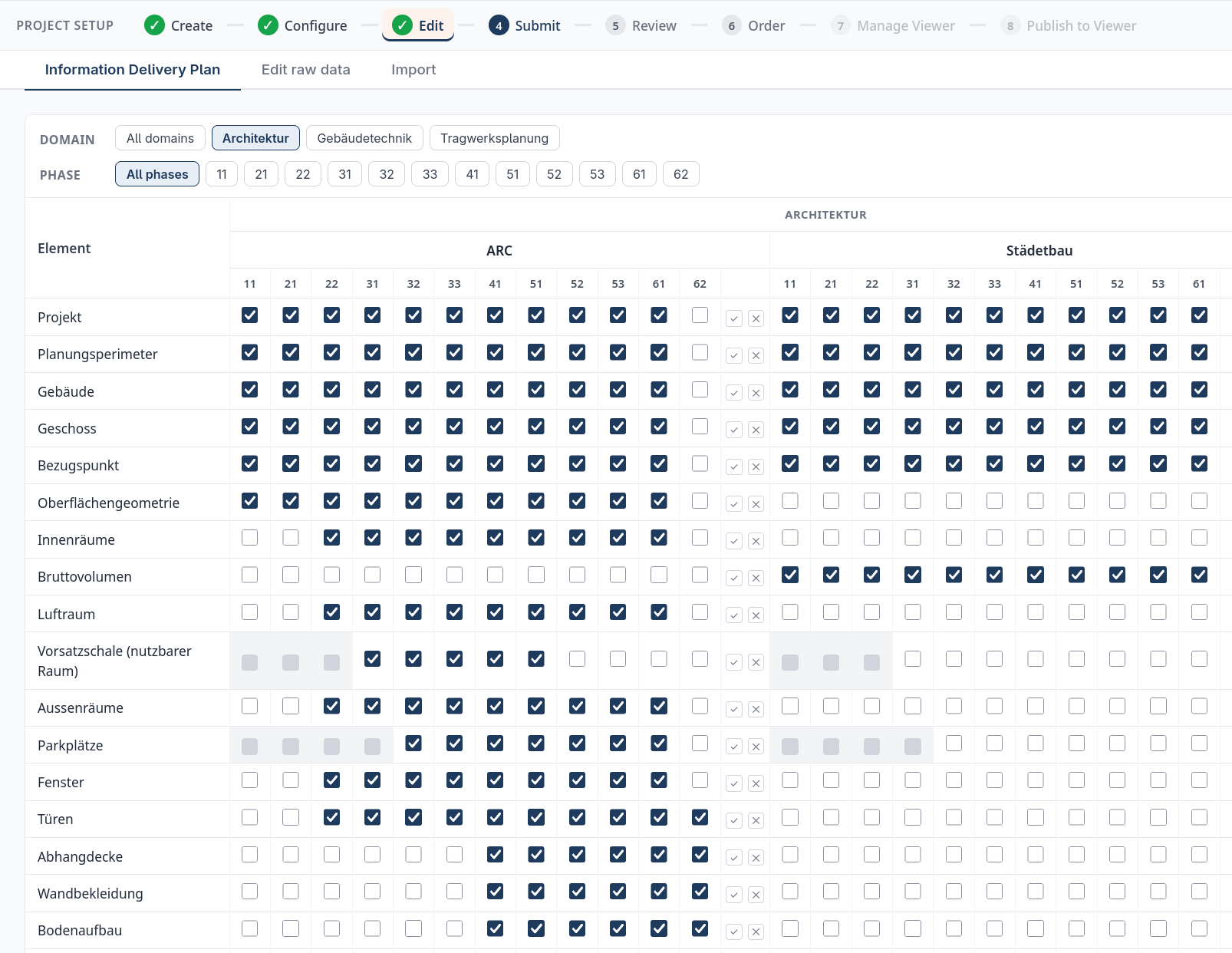
Assign elements to models
- A checkbox means this element has required information in that phase - tick it if that information belongs in this model.
- A grey cell means there is no workflow-backed requirement for that element in that phase; you cannot assign it there.
Tick the cells that match your model split (for example walls in the architecture model, ducts in HVAC).
Add a model
If the master did not include a Teilmodell you need:
- Use Add model on the relevant domain.
- Enter a name (and file name if you use one).
- Assign elements to the new model as above.
Save
Click Save. Assignments are stored on each element (needed_for_models). They drive IDS that is split by model and what the viewer groups under each model.
Then submit the draft for review and publish when the plan should go out to modelers.