
Guides for building owners
A visual tour of Elementplan: from data contract to checked model
The updated Elementplan in screenshots, plus the public Swiss Starter Elementplan you can copy today
Published
Simon Dilhas (Cofounder abstract & BIM Pirate)
View exampleOver the last years I worked extensively with clients to move BIM requirements from wishlists to actionable requirements that make a difference in projects. That work culminates in the newest release of pragmaticBIM.
What is new
- Goal-driven configuration - set an intensity level per project goal and let it activate the workflows, instead of ticking a use-case checklist.
- IDS import and merge - bring another planner's requirements into a draft and decide per element and per attribute what stays.
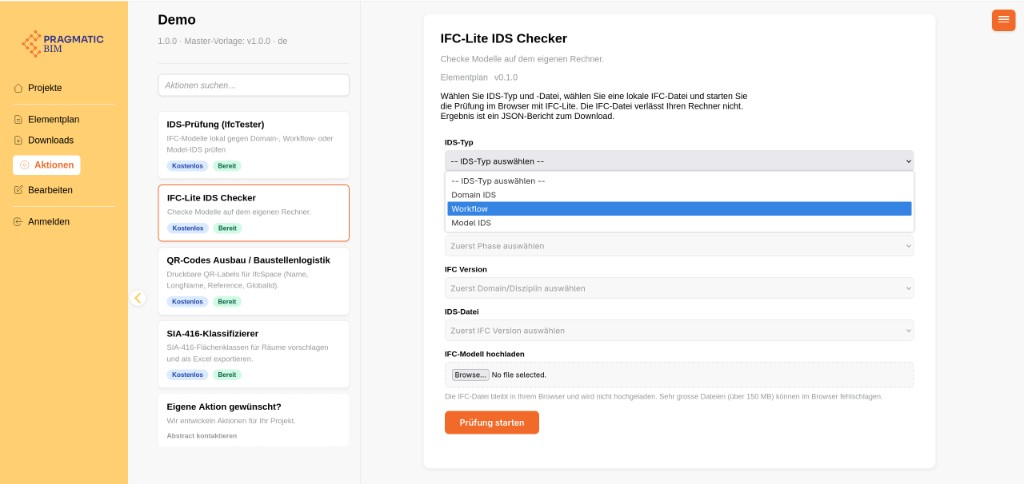
- Actions in the viewer - upload an IFC, check it against the published IDS, and get a report without buying another tool.
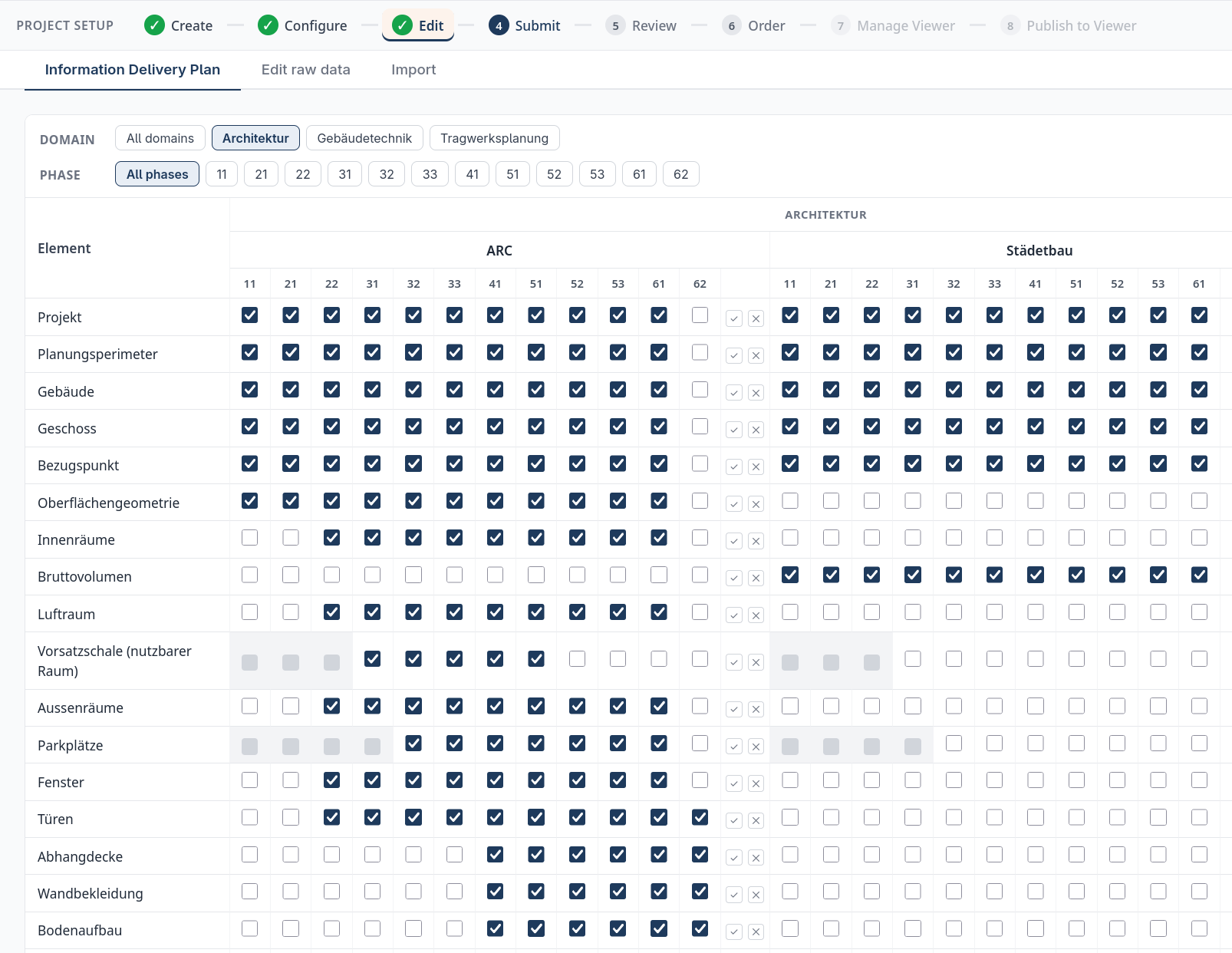
- Model-specific IDS - the Information Delivery Plan decides which element belongs in which model and phase, and the IDS files follow that split.
- Swiss Starter Elementplan - a public master template on GitHub. Read it, fork it, or copy it into a project. (Is it perfect? Hell no. Is it better than the usual bad Excel requirements lists? Oh yes. And the best part: if you find a mistake, flag it and we can change it.)
Most BIM requirement discussions happen in the abstract, which is exactly why they go badly. This is the concrete version: screenshots of pragmaticBIM Elementplan, in the order the tool is actually used.
Two roles show up in this tour. Building owners care about the first three screens, because that is what you order, what you can hand to a planner, and what you can check against later. BIM managers and coordinators care about the rest, because that is where the requirements get shaped for a specific building. Both parts describe the same artifact, seen from opposite ends.
What the project team receives
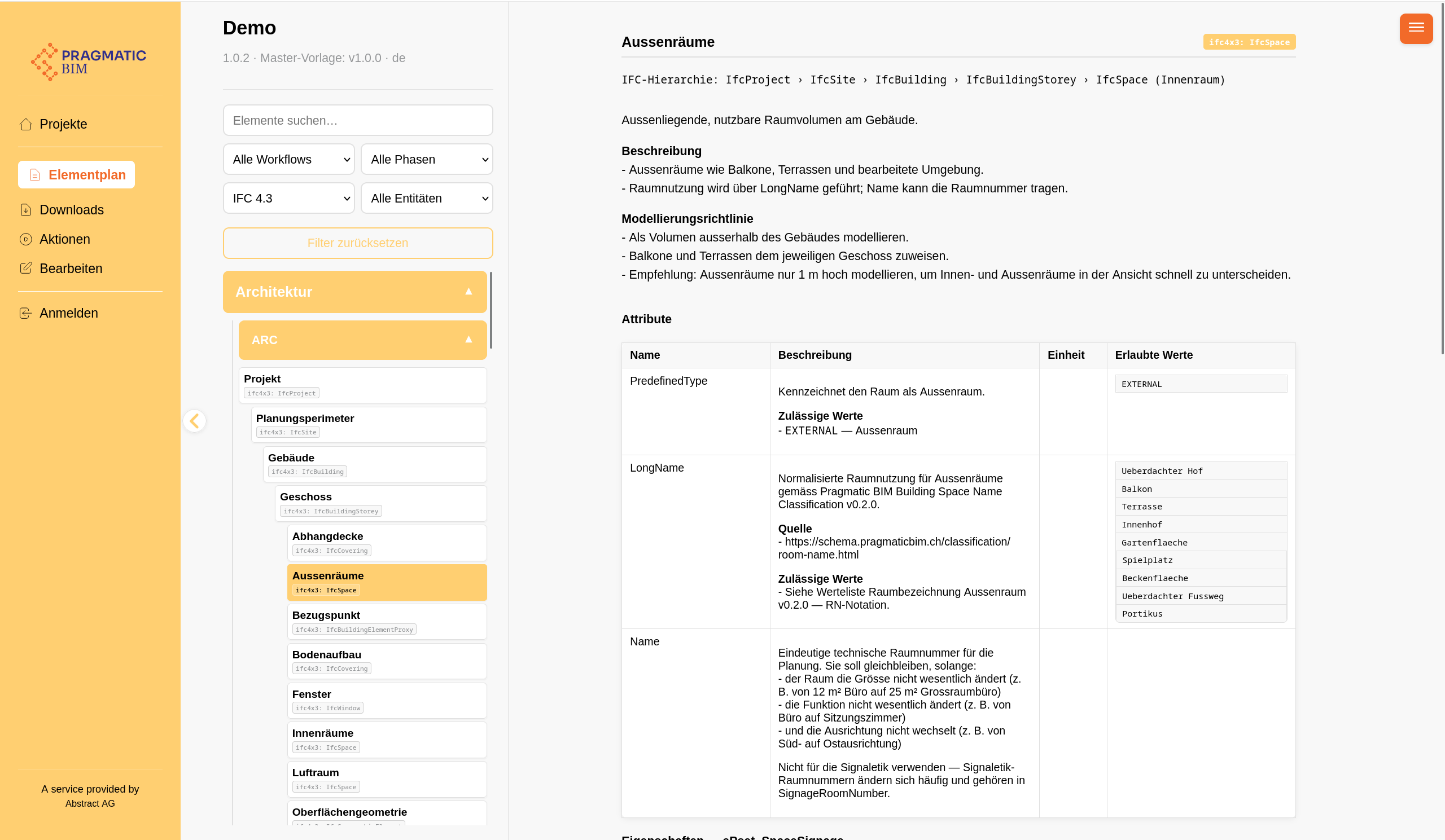
Start at the end. This is the published plan, open to anyone on the project without a login. Per element you see the IFC hierarchy, how it must be modelled, and which attributes and property sets are required, with units and allowed values.
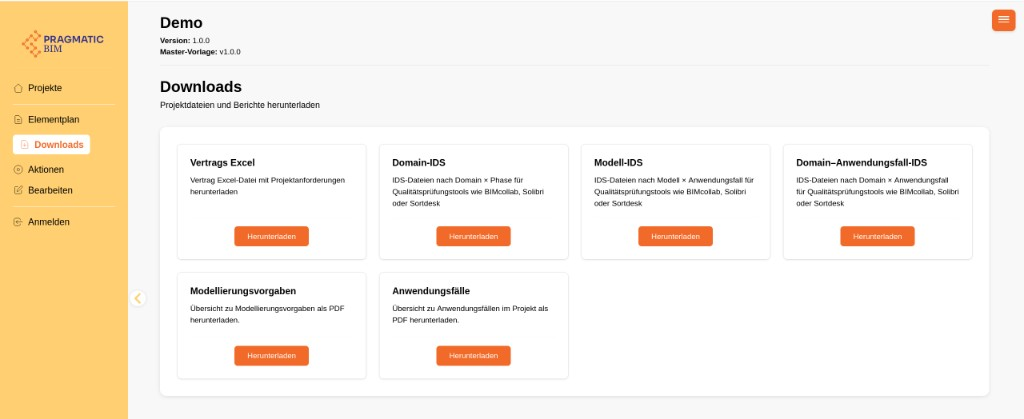
The same content leaves the platform in the formats each party already works with. Owners take the contract Excel and the PDF reports into the tender. Modelers take the IDS into Solibri, BIMcollab, or Sortdesk.
And because the requirements are machine-readable, checking is part of the plan rather than a separate procurement. Pick the IDS slice, upload an IFC, get a report.
How that plan gets made
Now the other end. Templates and projects sit side by side in the editor. Project requirements are treated like code: each one gets its own GitHub repository, with drafts, review, and version history.
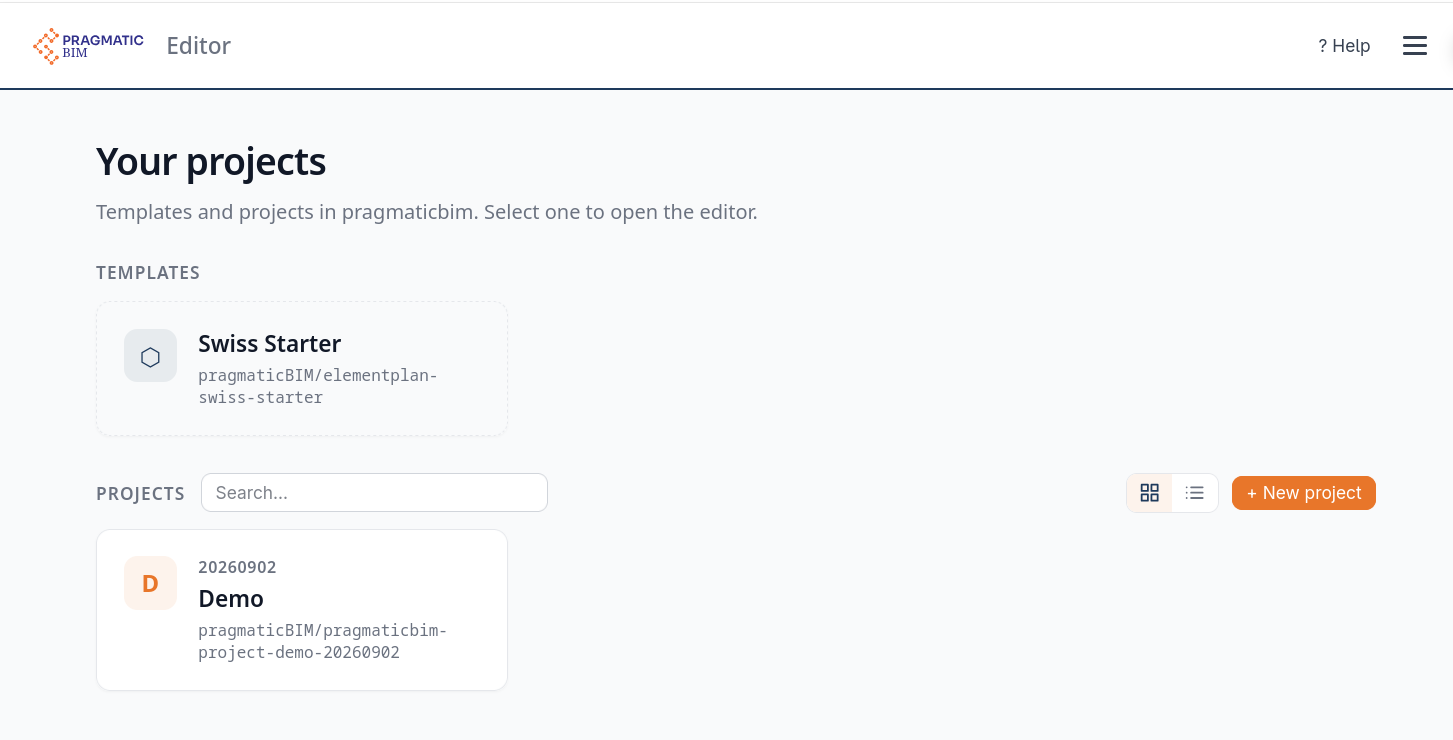
A new project is never a blank page and never a copy of a draft. It is created from a published template release, which is what keeps running projects stable while the organization keeps improving its standard.
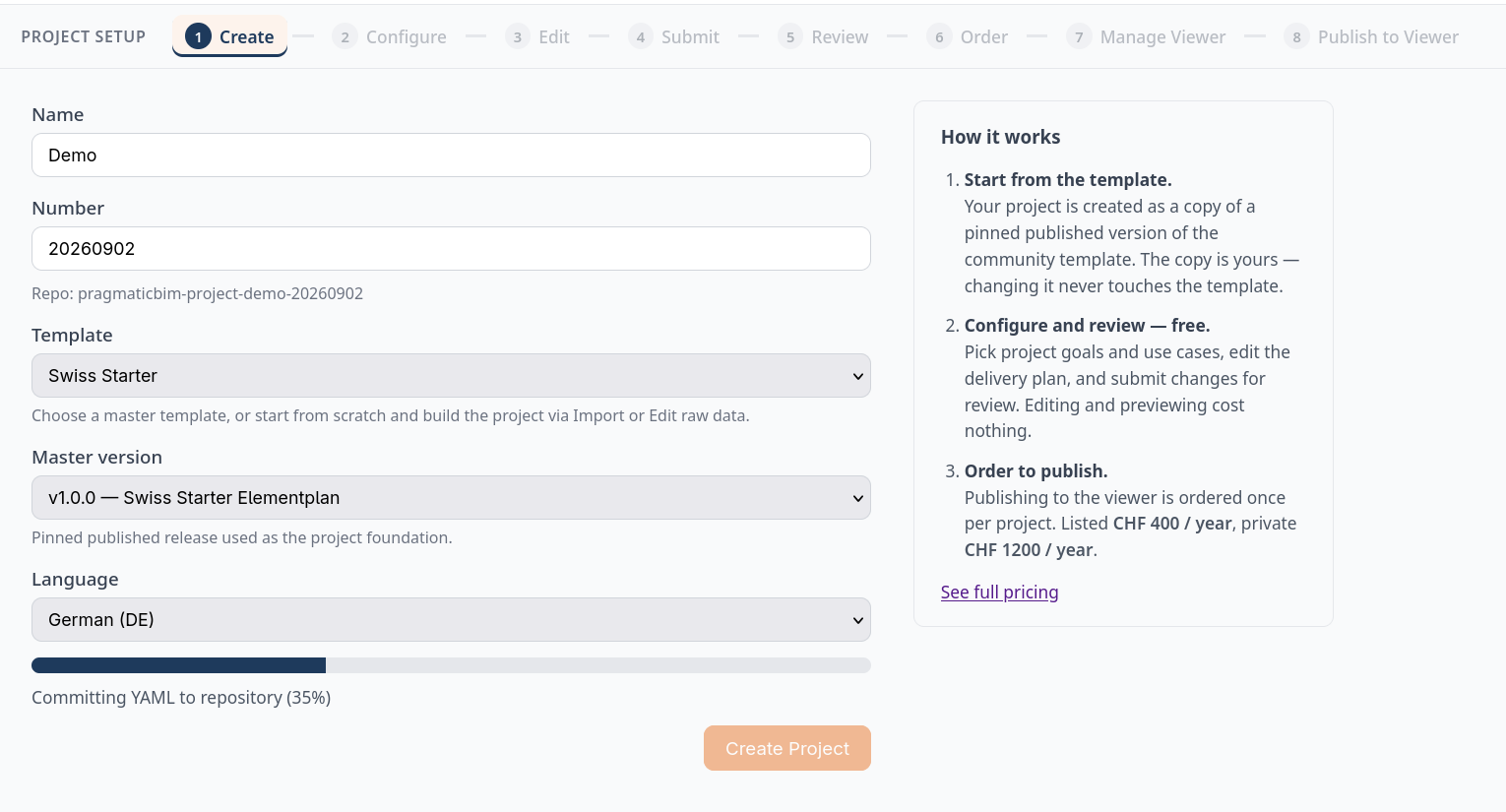
Start from the Swiss Starter Elementplan
If you have no master template yet, take ours. The Swiss Starter Elementplan is public on GitHub: a complete master you can read, fork, or copy into a project.
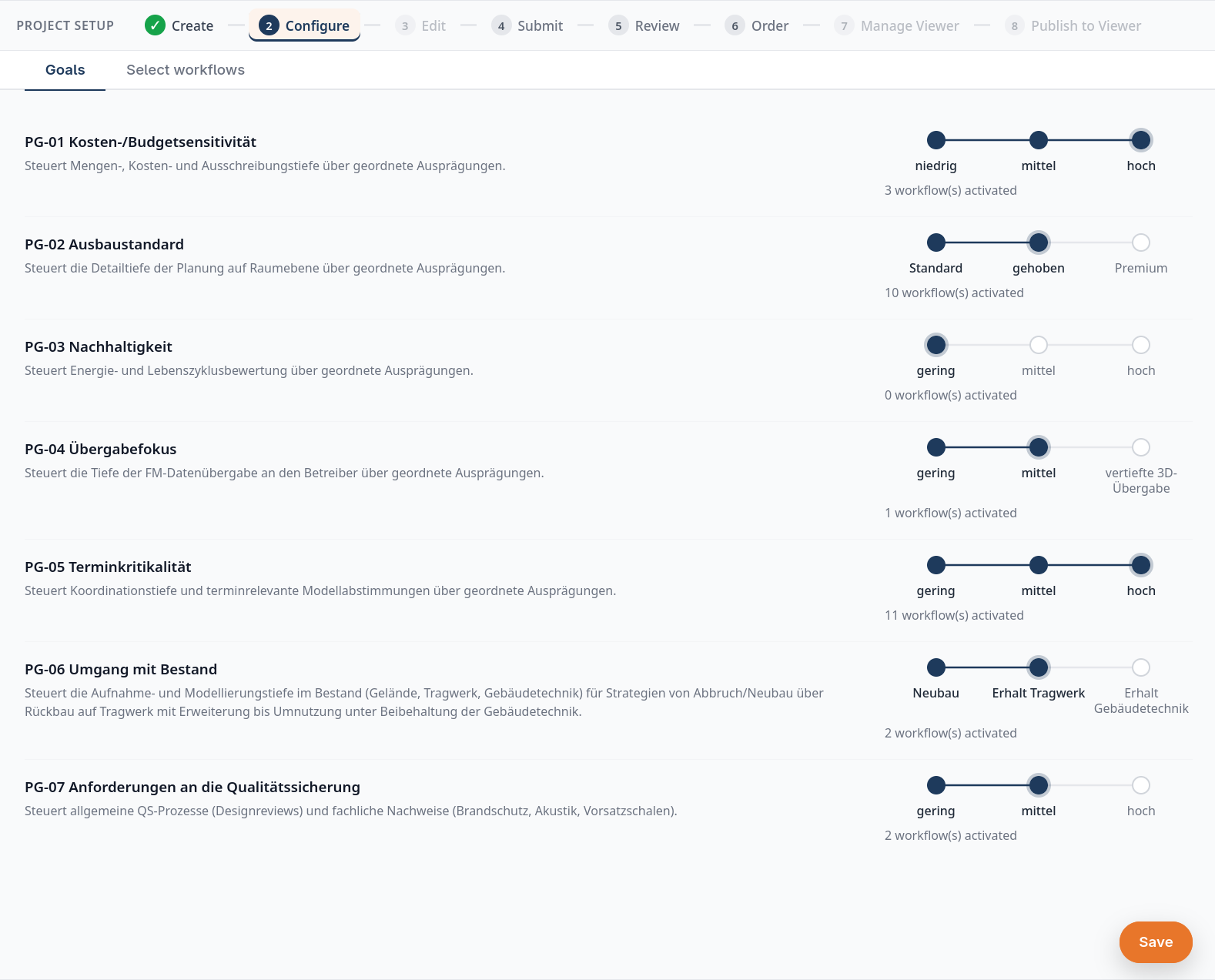
It holds more than 40 workflows, mapped to seven project goals: cost and budget sensitivity, fit-out standard, sustainability, quality assurance, operations and handover focus, schedule criticality, and how the project deals with existing structures. Every goal has ordered levels, and each level activates its workflows cumulatively, so choosing a level orders the requirements behind it instead of ticking a use-case checklist. The workflows follow the abstract use case classification: ordering, design, construction, handover, operation, and quality assurance.
Behind them sit around 80 elements across architecture, structure, and MEP, from the spatial structure, spaces, windows, and doors through to structural members and MEP terminals, each with its IFC entity, attributes, property sets, and allowed values, pinned to SIA phases. Several workflows lean on abstractBIM, which derives walls, slabs, and quantities from correctly modelled spaces and openings.
Need something the template does not cover? Add your own workflows to the master, or import an IDS from another planner and merge it into the project.
Two honest limits. This is a starting point, not a Swiss standard: KBOB and the federal building authorities publish their own, and this template does not replace them. And it contains no Teilmodelle, because the model split belongs to your project, in the Information Delivery Plan further down.
Configure it for this building
Then the catalogue gets slimmed to this building. Owners usually start here, in business language: how cost-sensitive is the project, how high is the fit-out standard, how much does operations and handover matter. Each level activates the workflows behind it.
What remains is the question every modeler eventually asks: in which file does this information belong, and from which phase? That is the Information Delivery Plan, and it is what makes model-specific IDS files possible.
Why owners can trust what comes out
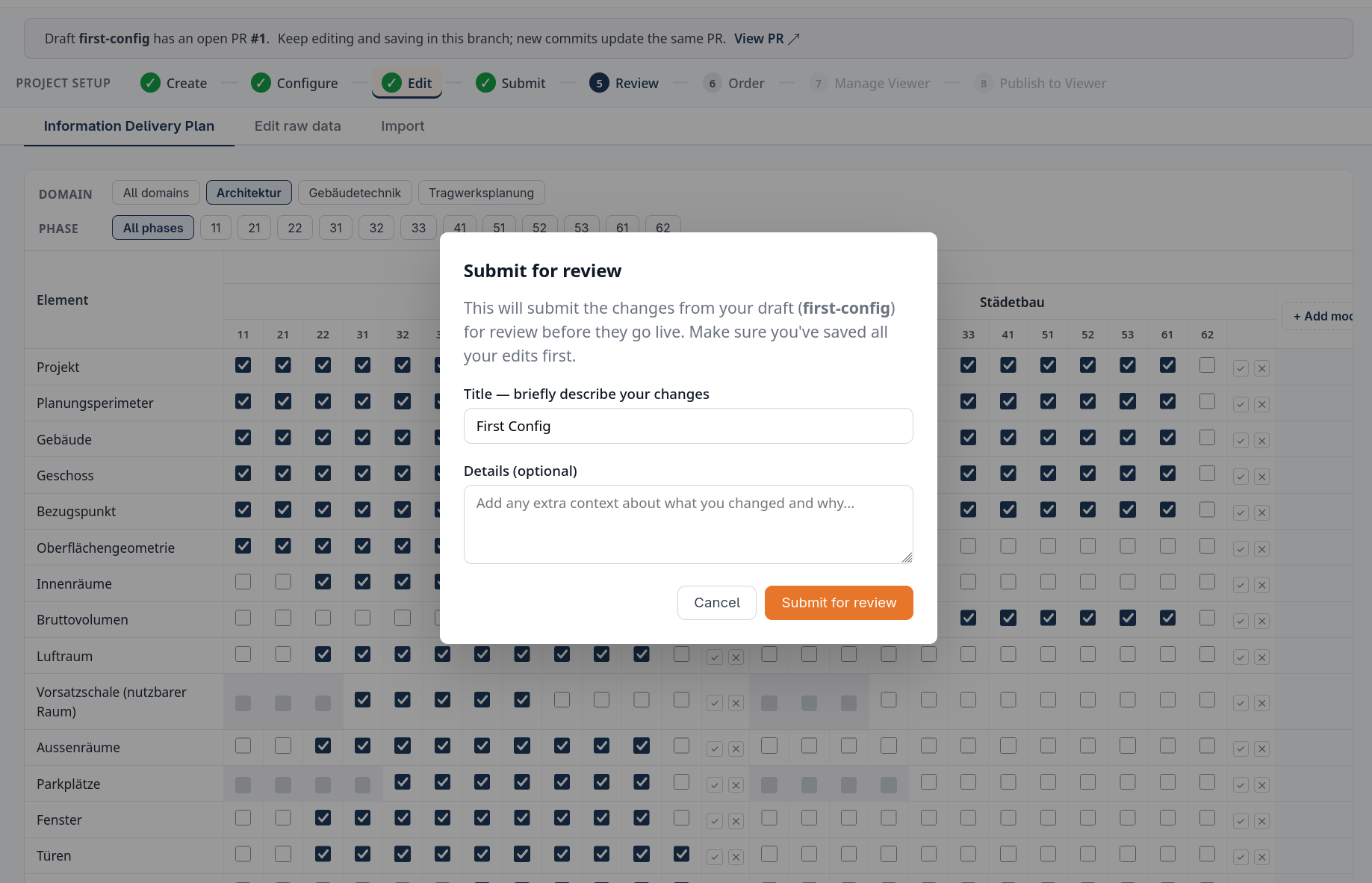
Nothing reaches the project team by accident. A draft is a branch, you submit it for review, and an admin has to approve the diff before it becomes live data. That is the audit trail behind a contract-relevant document.
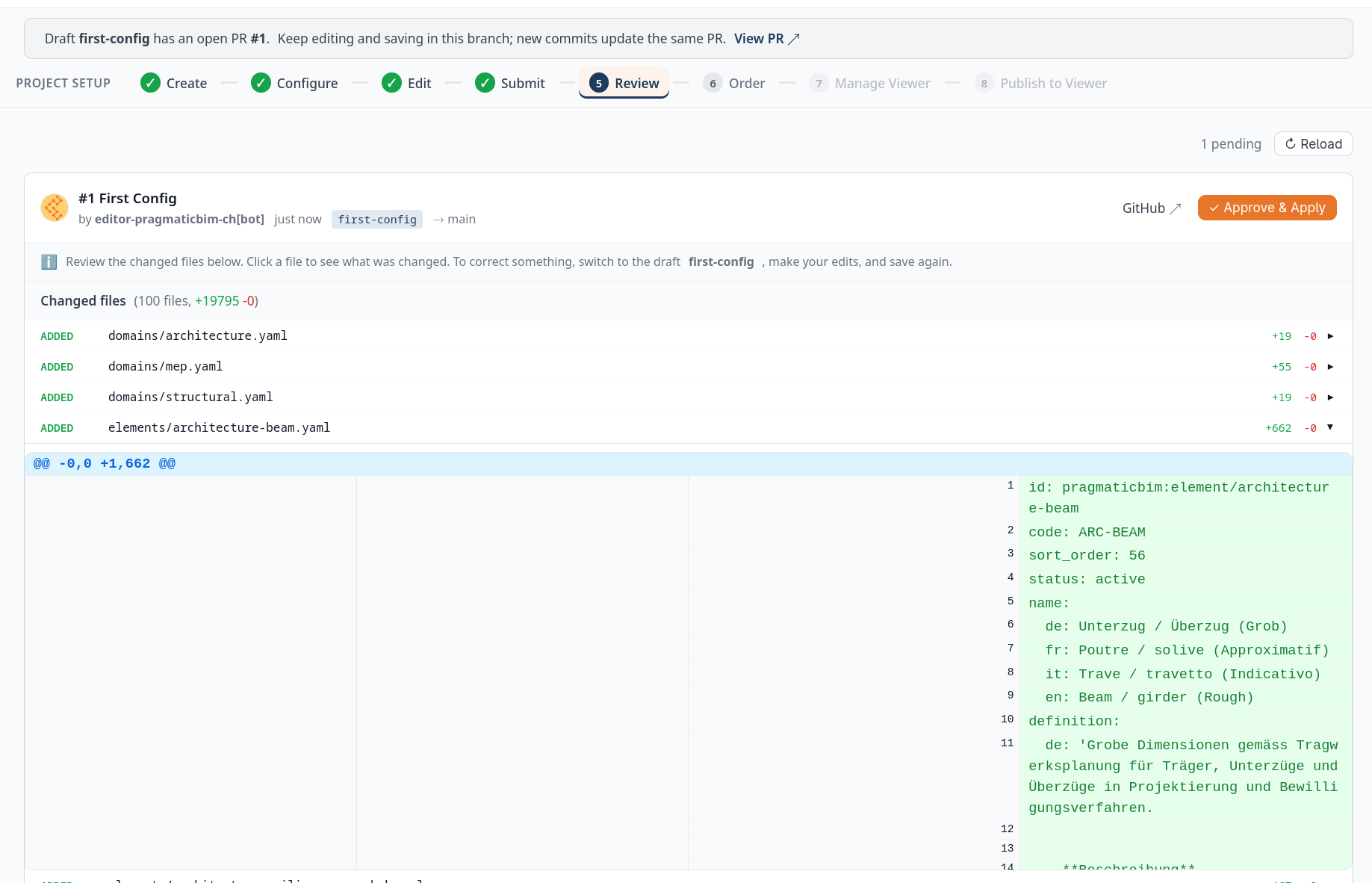
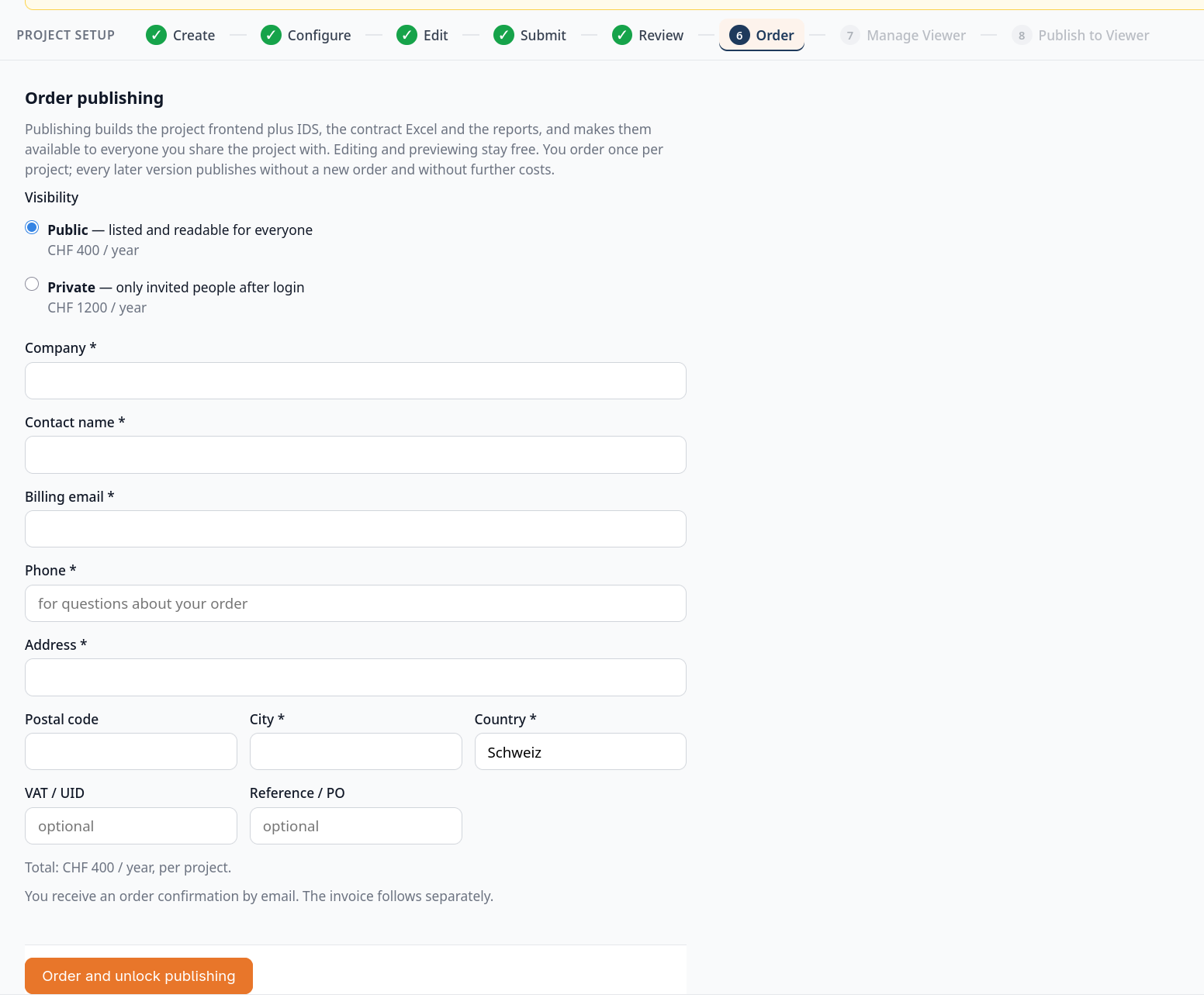
Publishing builds the viewer, the IDS files, the contract Excel, and the reports. Editing and preview stay free. You pay once per project when you unlock publishing.
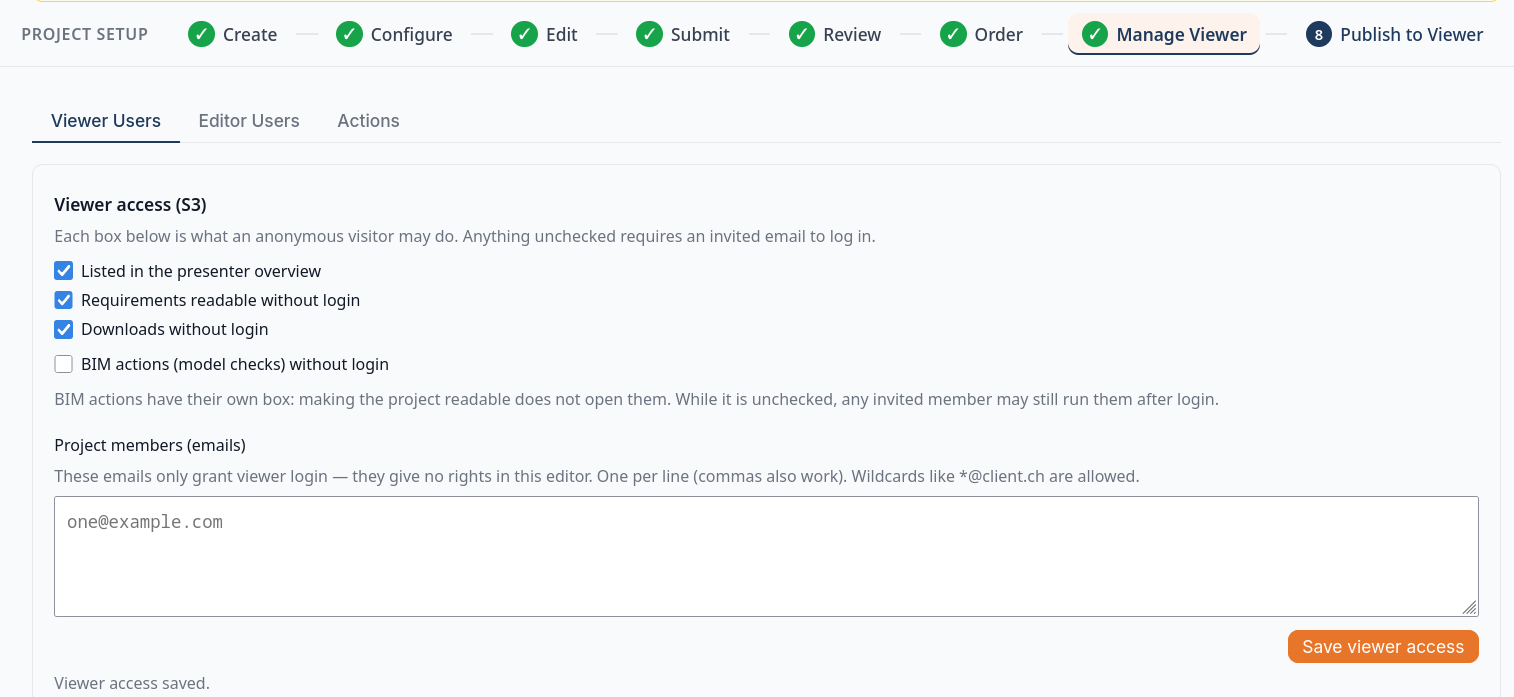
Access is decided per project as well: what anonymous visitors may see, and which emails may log in to the viewer.
Create your own project
Sign in to the Elementplan editor with your GitHub account, or create one for free. Then follow the five steps the editor greets you with. Requirements move from draft to review to Live Data, then get published to the viewer.
- Create a project from a published master, for example the Swiss Starter Elementplan.
- Configure goals and use cases, then merge to Live Data.
- Order and publish version 1, once per project.
- Invite and refine team access and project-specific rules.
- Operate with published data and IDS in Archicad, Vectorworks, and the rest.
Drafting and configuring on the community template costs nothing. You pay when you want to publish, which is the moment the plan becomes contract-relevant and reaches the project team.