
Guides for building owners
How to Derive BIM Data Requirements Directly from Project Goals
Seven goal levels that activate use cases, parameters, and contractual IDS exports
Published
There has always been a gap between BIM data requirements and the actual business goals of a project.
Teams write LODs and EIRs that read like generic checklists. They create IDS files. All of it is very technical, and most of it is disconnected from what the project actually needs to achieve.
With the latest pragmaticBIM update, that gap closes. You set business goals. The platform activates the right use cases. Those use cases produce the data requirements you can put in a contract.
Why Generic BIM Requirements Fail
Copy-pasting LOD tables, EIR templates, and IDS snippets from the last project feels efficient. It is not. Every project has a different commercial profile: budget pressure, fit-out ambition, sustainability targets, FM handover depth, schedule risk, existing-stock strategy, and QA depth.
When requirements ignore those drivers, you get two failure modes:
- Over-specification: Planners deliver attributes nobody will use, burning fees and goodwill.
- Under-specification: Critical parameters for cost, operations, or safety never make it into the model.
Technical completeness is not the same as business fitness. An IDS that validates properties without linking them to project outcomes is still just a checklist.
The Protocol: From Goals to Contractual Data Requirements
pragmaticBIM connects BIM configuration to business intent in four steps.
1. Set levels for seven project goals
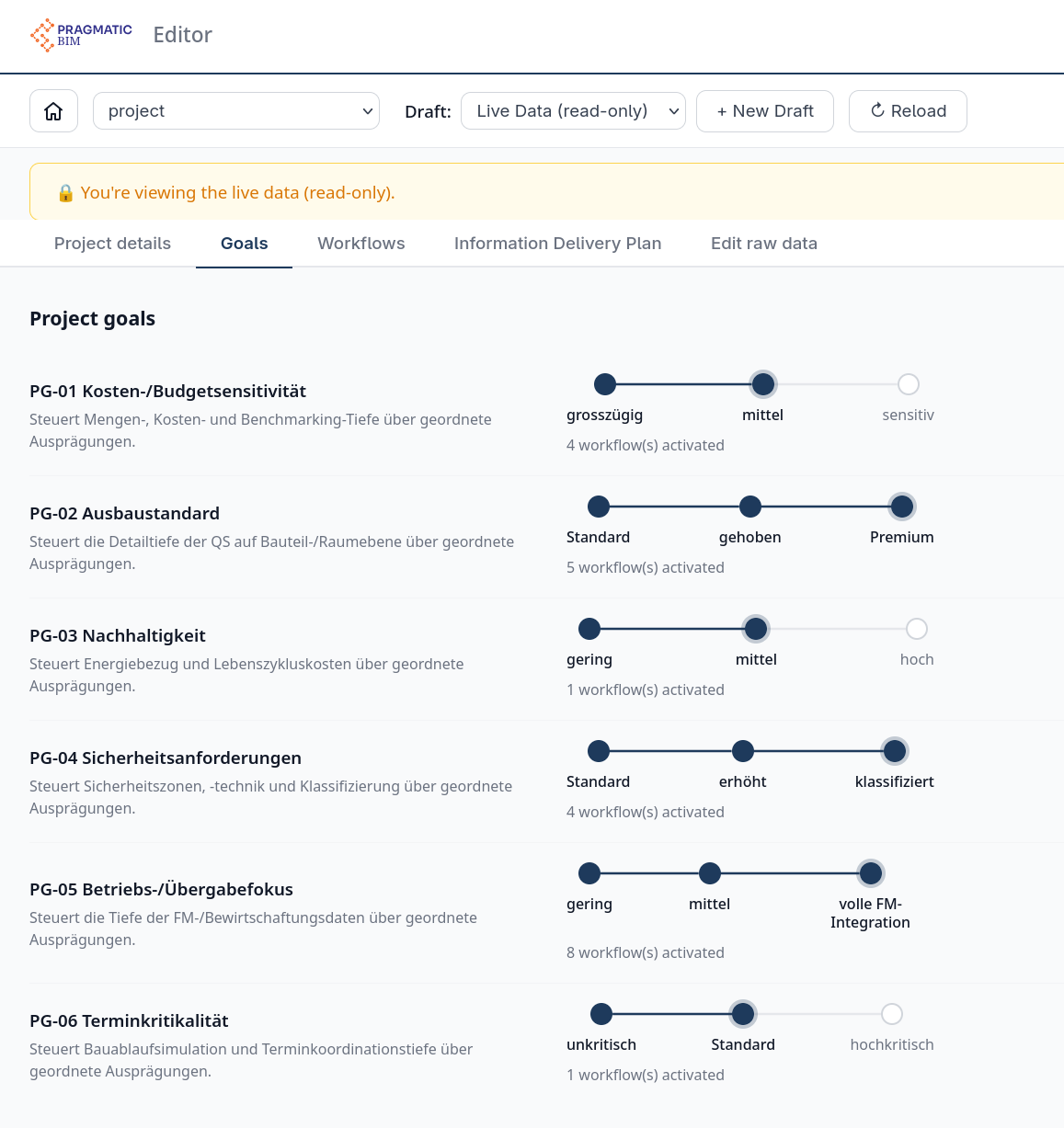
During project setup, you define intensity for seven ordered project goals:
- Cost / budget sensitivity - depth of quantities, cost, and benchmarking
- Fit-out standard - QA detail at component and room level
- Sustainability - energy and life-cycle cost focus
- Operations / handover focus - depth of FM and management data
- Schedule criticality - construction sequence simulation and coordination depth
- Dealing with existing stock - survey and modelling depth on existing assets
- Quality assurance requirements - design reviews and specialist verifications
Each goal uses ordered levels (for example generous / medium / sensitive). You are not inventing a new use-case list per project. You are stating how ambitious the project is on each business axis.
2. Activate company-specific use cases automatically
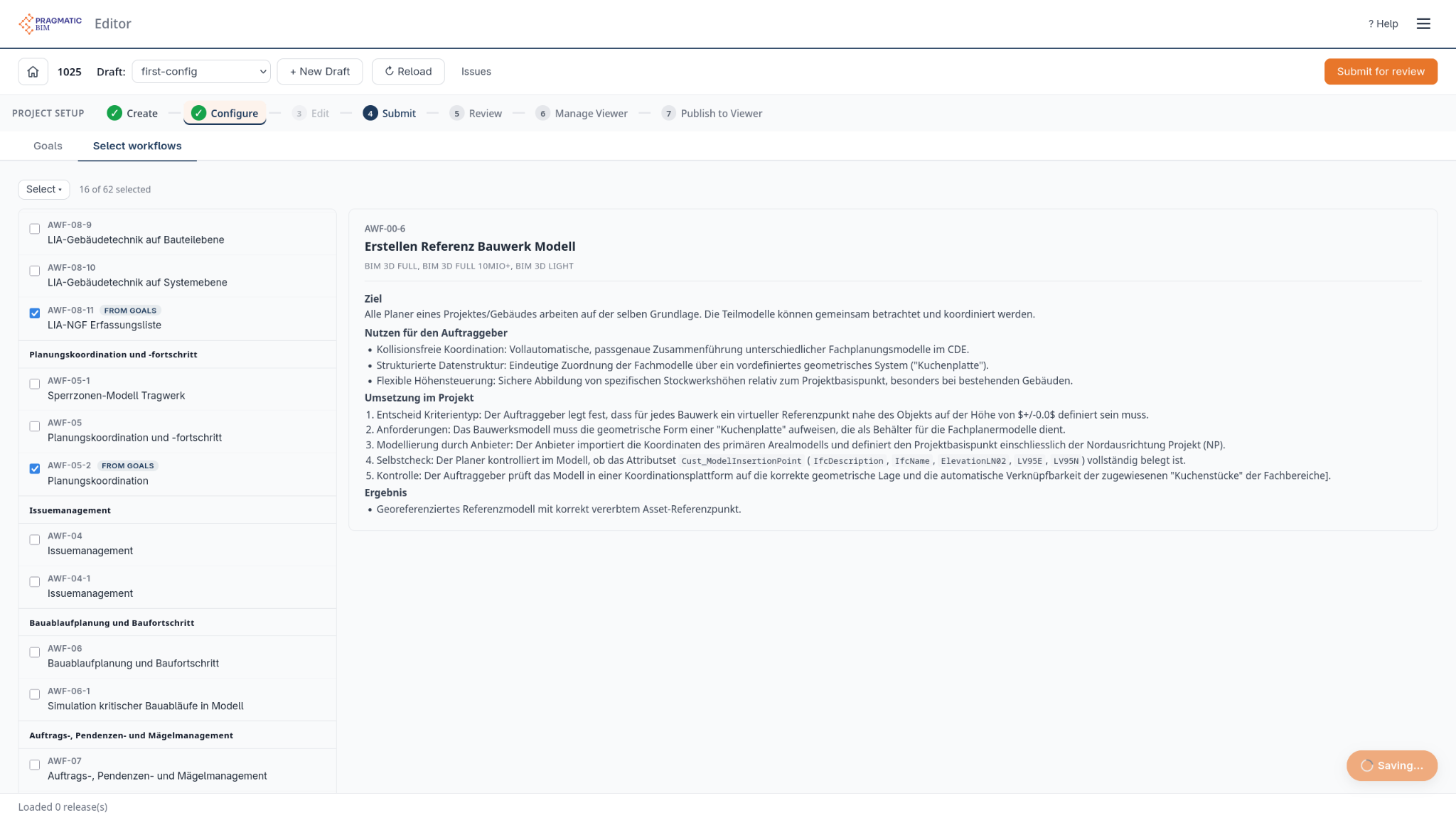
Based on those levels, pragmaticBIM activates the relevant use cases from your organizational standard. The mapping is company-specific: your workflows, your naming, your delivery logic. Higher intensity activates more (or deeper) use cases; lower intensity keeps the contract lean.
3. Derive concrete data requirements
Activated use cases define the actual data requirements: which elements, which parameters, and which level of detail are needed. That is the bridge from business language to machine-checkable attributes. LOD and EIR stop being generic documents and become the consequence of the goals you set.
4. Export IDS and contractual documents
At the end you get an IDS file for validation plus a contractual Excel/PDF package. Ready to order data requirements directly. Planners know what to deliver. You know what to check. The contract matches the goals.
What Connecting BIM and Business Looks Like
No more generic BIM requirements copy-pasted from the last project. Your data requirements follow directly from your business goals.
That is the practical meaning of connecting BIM and business: start with outcomes the project must achieve, activate only the use cases that support those outcomes, and publish requirements that both humans and machines can execute.