
Case study
Zurich Airport: ordering data that can be checked
From proof of concept to production. How Zurich Airport moved its element plan from Excel to checkable requirements.
Published
In its element plan, Zurich Airport defines which data has to be delivered for which element. Until now the element plan lived in Excel. In a proof of concept, the airport tested treating its requirements like code, versioning them traceably and checking deliveries automatically. Today the solution is in productive use in further civil engineering projects.
Data check
Automated in 10 minutes
Before
By hand, with queries
In use
Productive in further civil engineering projects
Download the case study as PDF (German, 4 pages)
Starting point
In 2024, Zurich Airport came to us with a clear question: how can its data catalogue evolve so that deliveries can be checked automatically?
The foundation was good. The catalogue was in Excel, aligned with the requirements of the GIS, and contained cleanly defined value ranges. What was missing was a clear assignment of requirements to individual elements. Without that assignment, a delivery cannot be checked automatically.
So deliveries were checked by hand, with many queries between the planners and the responsible GIS team.
"What matters is not the amount of data, but structure, quality and usability."
GIS/BIM data management specialist, Zurich Airport
"The step from Excel to a structured database was challenging, but decisive."
Senior Project Leader Civil Engineering/BIM, Zurich Airport
Approach: clarifying together what is really needed
We did not simply copy the element plan into a database. The software was developed further at the same time, and the two developments shaped each other.
1. From Excel to a database
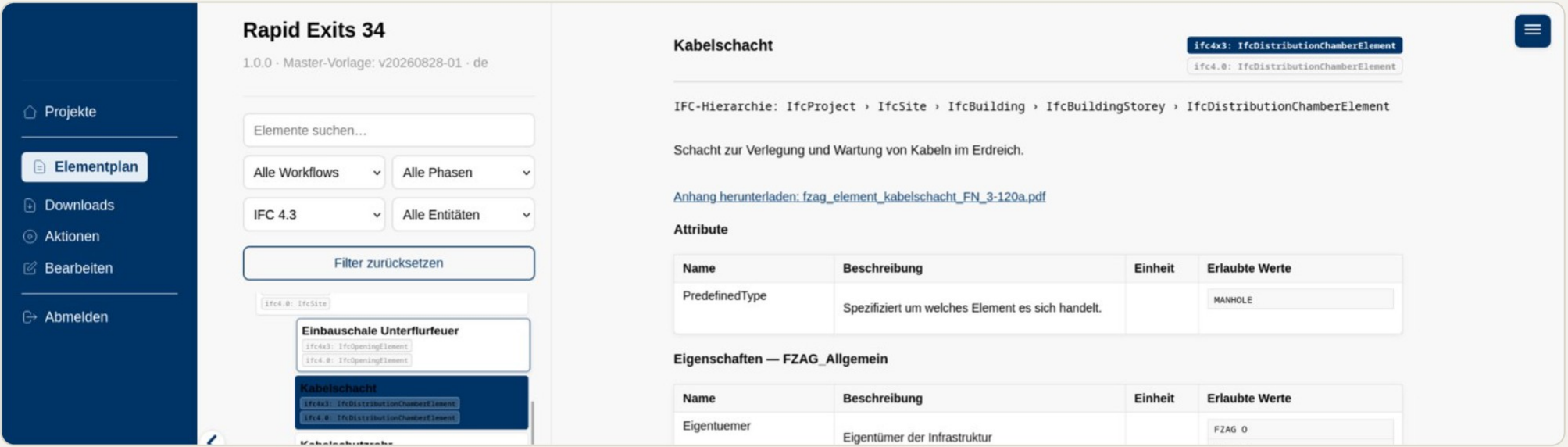
First we moved the existing template into a database. That made visible which requirement belongs to which element.
2. Workshops instead of assumptions
In workshops we defined use cases and asked, for every element, what is really needed at handover. Some new elements emerged, and some attributes were dropped.
What was dropped
Originally, every element had the same six attributes in an FZAG property set. The workshops showed that this generic rule made no sense: some elements don't need these attributes at all, others need more.
3. Treating requirements like code
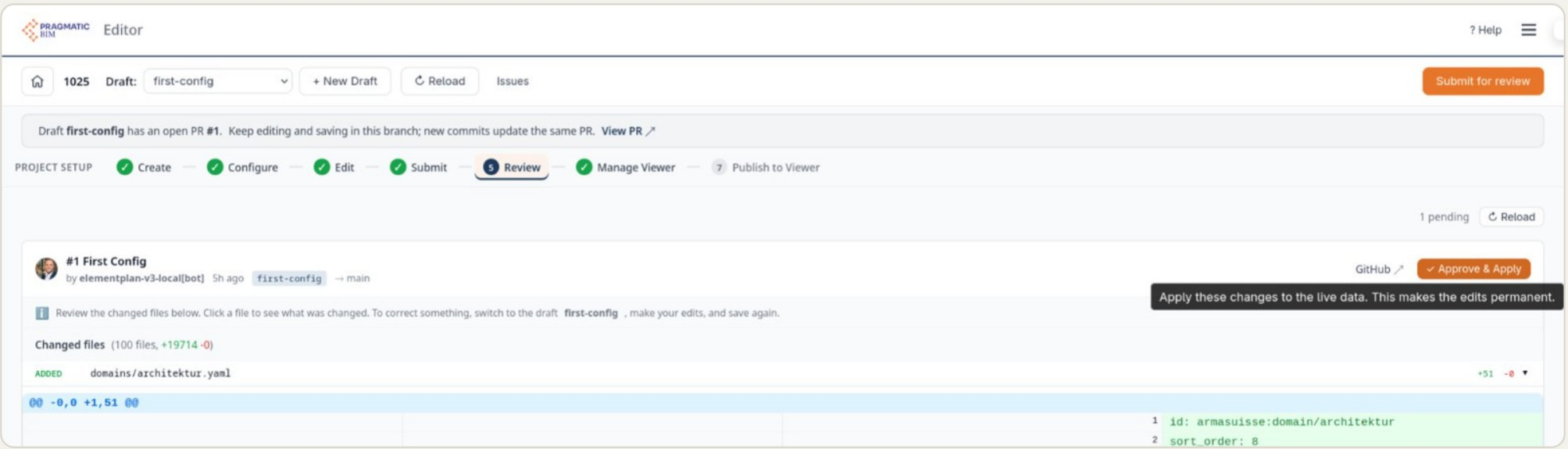
Every change starts as a draft, is reviewed and only then applied. That keeps it traceable who changed what and why. The template is the clear basis from which every project derives its own order. The guide How pragmaticBIM works explains this in detail.
4. An interface for the BIM team
The airport's BIM team can create projects and adapt the template on its own.
Voice from practice
"Excel told me what is required. The IDS file tells me what is still missing."
Project Manager, KIBAG Bauleistungen AG · Infra
From practice
Data types added after all
We originally did not want to prescribe data types. In practice, it turned out that not every checking tool can work without them, so we added them.
Result: check before submission, not after
Before · manual
Data was checked manually, with numerous queries between the planners and the responsible teams. The existing data structure supported the expert review only to a limited extent.
By hand, laborious
Today · automated
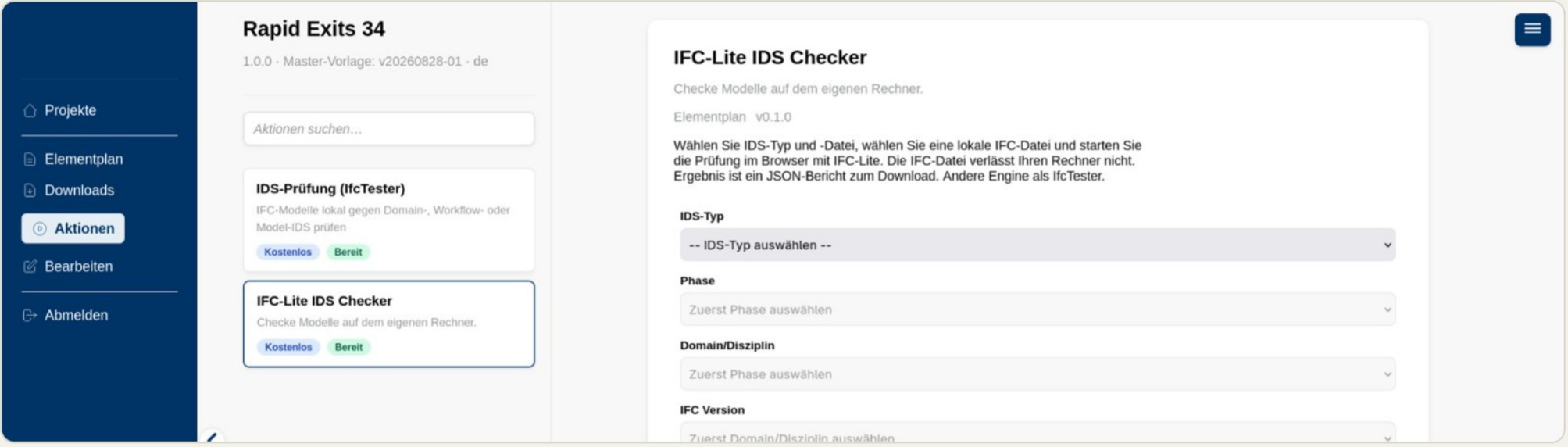
Planners can check their delivery themselves before submitting it. The responsible teams check the data for plausibility before it is formally accepted and transferred to the GIS.
10 minutes of automated data checking
From the airport's point of view, the proof of concept went very well. The automated data check takes about 10 minutes. Expert review is still required, and the structured data check supports that process.
From proof of concept to production
- Tested: In the first project, the solution was tested and reviewed. Findings and suggestions fed into further development.
- Productive: The solution is used routinely in further civil engineering projects at Zurich Airport.
- Checkable: Every requirement is assigned to an element and can be checked automatically.
- Traceable: Every change is versioned. Project-specific data orders are derived from a clearly defined template.
Learning: where automated checks reach their limits
An example: if the attribute "has shaft ladder" is set to "no", checking the material of the shaft ladder is not relevant. Automated checks can only express dependencies like this to a limited extent today. There is room for improvement here, and it also shows that expert review remains necessary.
What it looks like in use
Your element plan: checkable instead of in Excel?
Get in touch. Together we'll look at where your requirements stand today and which of them can be checked automatically.
Simon Dilhas · simon.dilhas@abstract.build · +41 61 563 10 85